Phonejoy review
Half the screen gets obscured by your fingers and you spend more time repositioning your thumbs than actually playing leading to a highly compromised experience. Some games, like Epoch or Infinity Blade can find a middle ground between the high action games that we're used to on consoles, and finger friendly controls that will work on a mobile phone or tablet, but they're a compromise that falls short on the innovation that is possible with mobile phones, and the twitchy control that come with a real gamepad.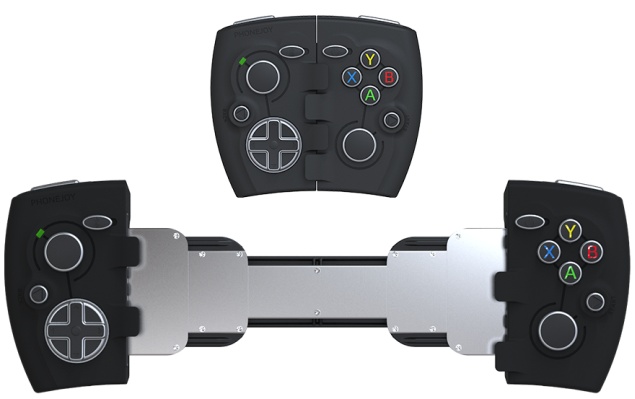 Our phones are getting more and more powerful, and looking at games like
Bastion and XCOM running on your iPhone shows just how far things we've
come since the days of playing Snake on a Nokia phone. The catch is
that games like Angry Birds or Threes are a lot more fun than playing
most typical genres on a phone because while a full touchscreen is great
to look at, virtual buttons and virtual thumbsticks are a nightmare to
actually use.
Our phones are getting more and more powerful, and looking at games like
Bastion and XCOM running on your iPhone shows just how far things we've
come since the days of playing Snake on a Nokia phone. The catch is
that games like Angry Birds or Threes are a lot more fun than playing
most typical genres on a phone because while a full touchscreen is great
to look at, virtual buttons and virtual thumbsticks are a nightmare to
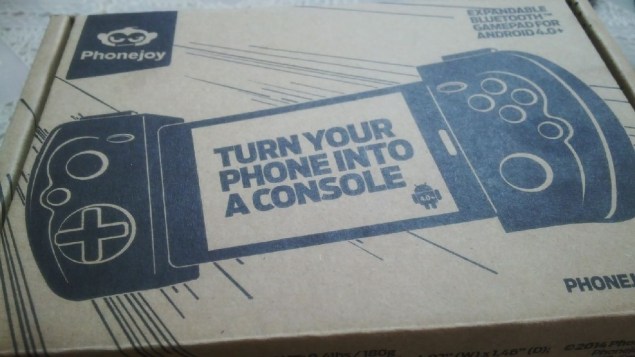
actually use.We tried out the Phonejoy controller which just started delivering gamepads to their Kickstarter backers, and came away pretty impressed. The controller costs $79.99 (approximately Rs. 4,806) to order, and takes between one to two weeks to reach India.
If you're using something even bigger than a Note though, this might be a problem, because the Phonejoy is stretched from the middle to accommodate your phone, and larger devices probably won't fit. Of course, since the connection is taking place over Bluetooth, you could just prop the phone (or tablet) in a stand, and play with the gamepad in your hand. It looks like it would be too small to hold comfortably in that mode, but having spent a fair amount of time gaming on the iPad in just that fashion, it's safe to say that the Phonejoy is comfortable to use even without a phone.
Design and Build Quality
The Phonejoy is small, slightly chunky, and does not look like it would be very comfortable to hold. It's very slightly taller than a PS Vita, and about twice as thick. The width is adjustable, but with a 5-inch phone inside, this thing dwarfs the Vita.
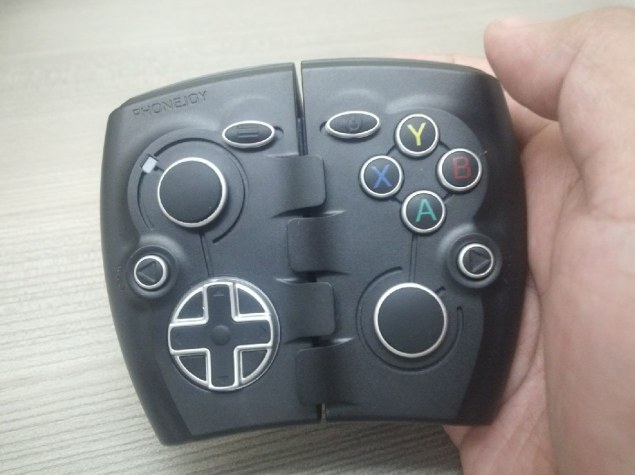
In the middle, the design has a toothed pattern - this is where the two halves of the Phonejoy meet, and as you can see in the top picture, there's a steel backing that's held together with springs. For now, the Phonejoy closes quite smoothly and holds the Xperia Z very snugly, though this could actually be the one weakness in what is an otherwise impressive build, as over time, the spring might possibly weaken. For now though, it's looking very solid.
The build quality of the gamepad is actually pretty impressive - it feels more durable than a Playstation 3 gamepad and the buttons and sticks look great and feel great too. The shell is made with from pastic, but all the buttons are bordered in chrome and topped with a layer of rubber, including the analogue sticks and even the power and invert toggles. The effect looks pretty good and feels comfortable to use as well. The analogues are very shallow and you might feel a little uncomfortable using them for extended periods of time, as compared to a full sized controller, but it's a necessary sacrifice if you want to be able to take the Phonejoy and slip it into your pocket when you're not actually gaming.
The direction pad also feels a little spongy and if the designers had followed Sony's lead and made each direction a separate button the way it is in the Vita, the pad might have been more comfortable, but there weren't any issues when playing sidescrollers.
Connectivity and Performance
To use the Phonejoy, you need to first pair it with either your Android or iOS device over Bluetooth. While a future version which uses iOS 7's controller has been talked about, the version we reviewed and which is currently available instead uses the iCade profile to pair with an iOS device.
To use, you must first switch on the Phonejoy (the battery has a life of eight hours between charges, and takes about one hour to charge) and set it in the correct mode. To connect to an Android device, you must push the back button and the X button, while you need to hold the back button and B, to switch to iCade mode. There's an LED next to the left stick, which glows blue in Gamepad (Android) mode and red in iCade mode, so it's easy to keep track of this.
No comments:
Post a Comment